
Watch your heart rate now
A gentle tap before it gets worse.
Choose how sensitive POTS should be. A heads-up comes early so you can sit, sip and slow down. An alert means act now.

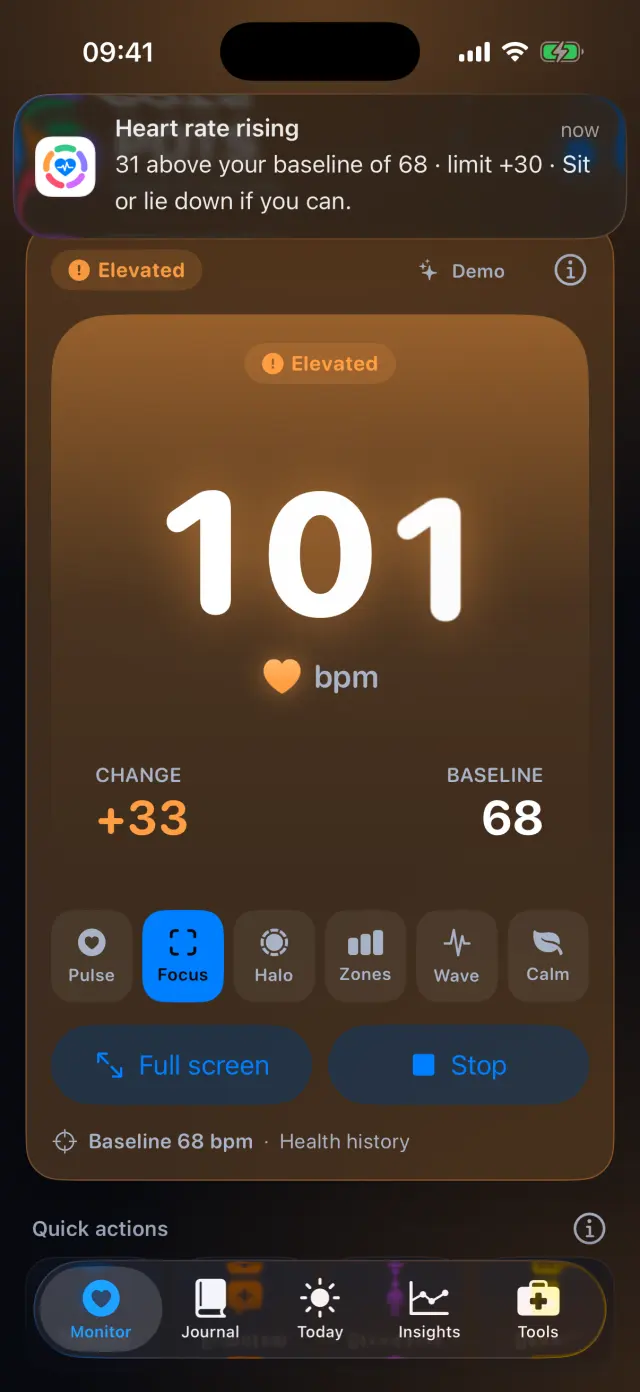
How it works, step by step
Real screens from the POTS iPhone app, with fictional example data.
-
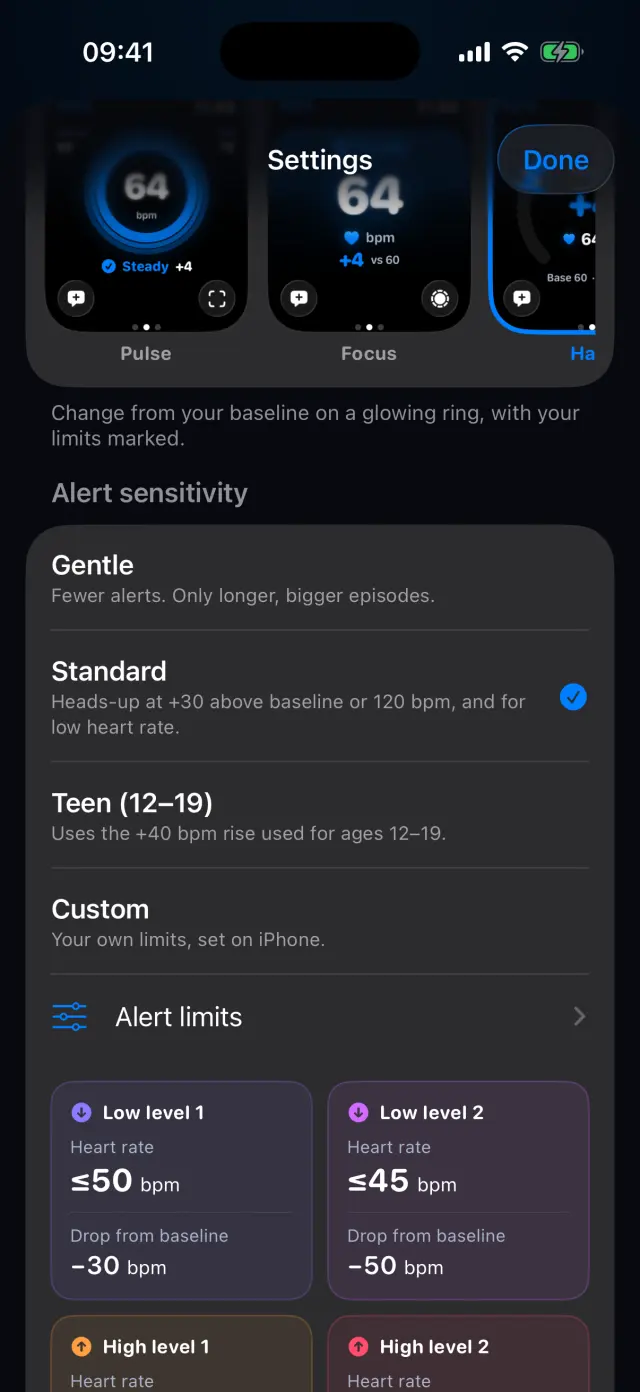
Pick a sensitivity
Gentle gives fewer alerts, Standard is a good start, Teen (12–19) uses the +40 rise for ages 12–19, and Custom lets you set your own.
-
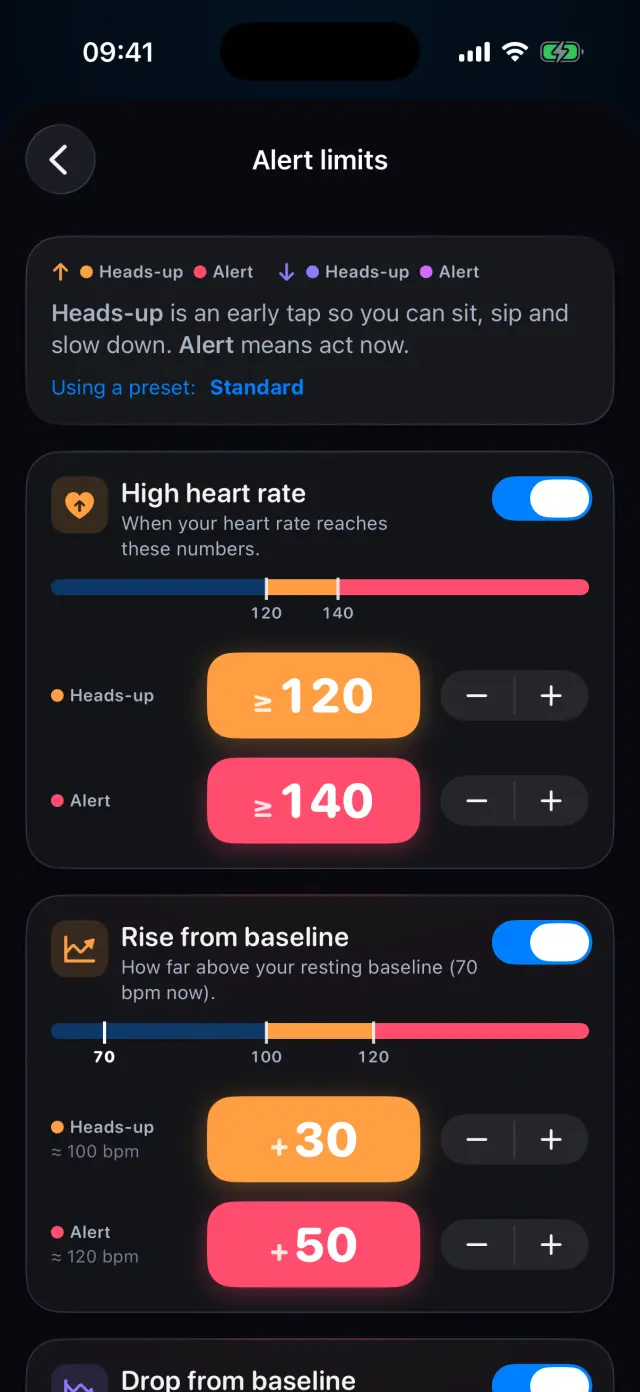
Fine-tune your limits
Set heads-up and alert levels for high heart rate, rise from baseline, low heart rate and drop from baseline. Ask your clinician which numbers suit you.
-
Get a heads-up
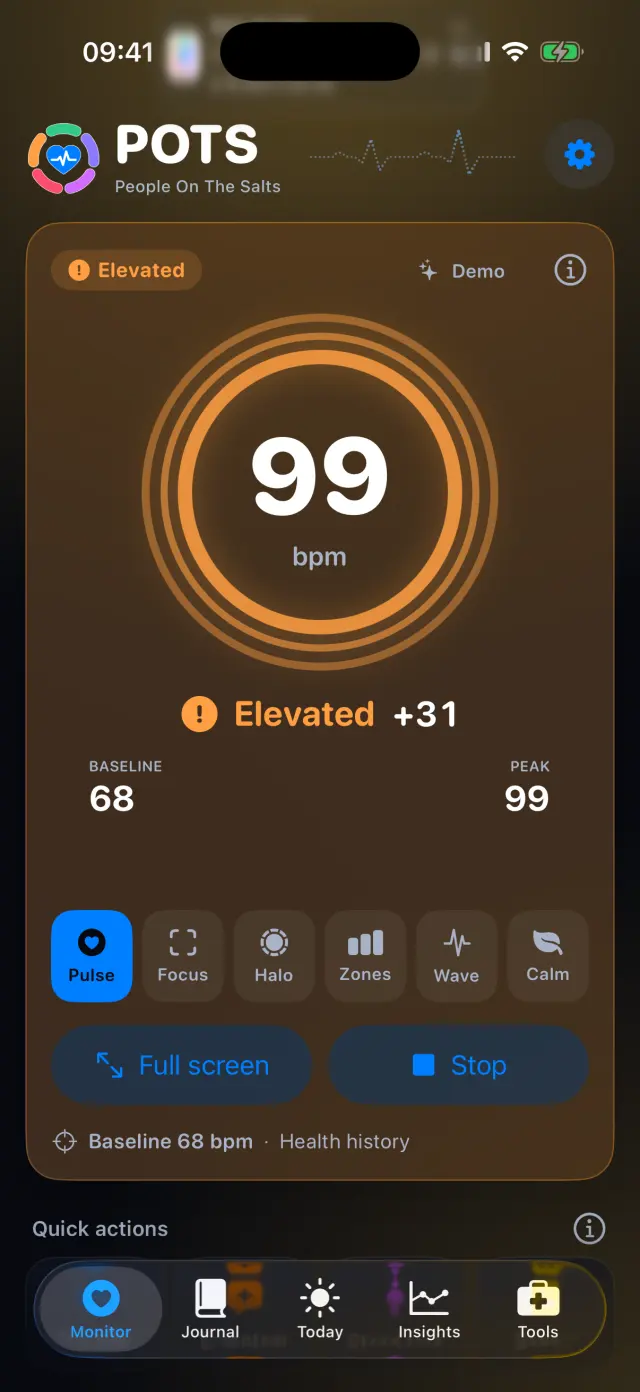
When a limit is crossed for a few seconds, POTS sends a notification with the number and a simple tip, on iPhone and Apple Watch.
-
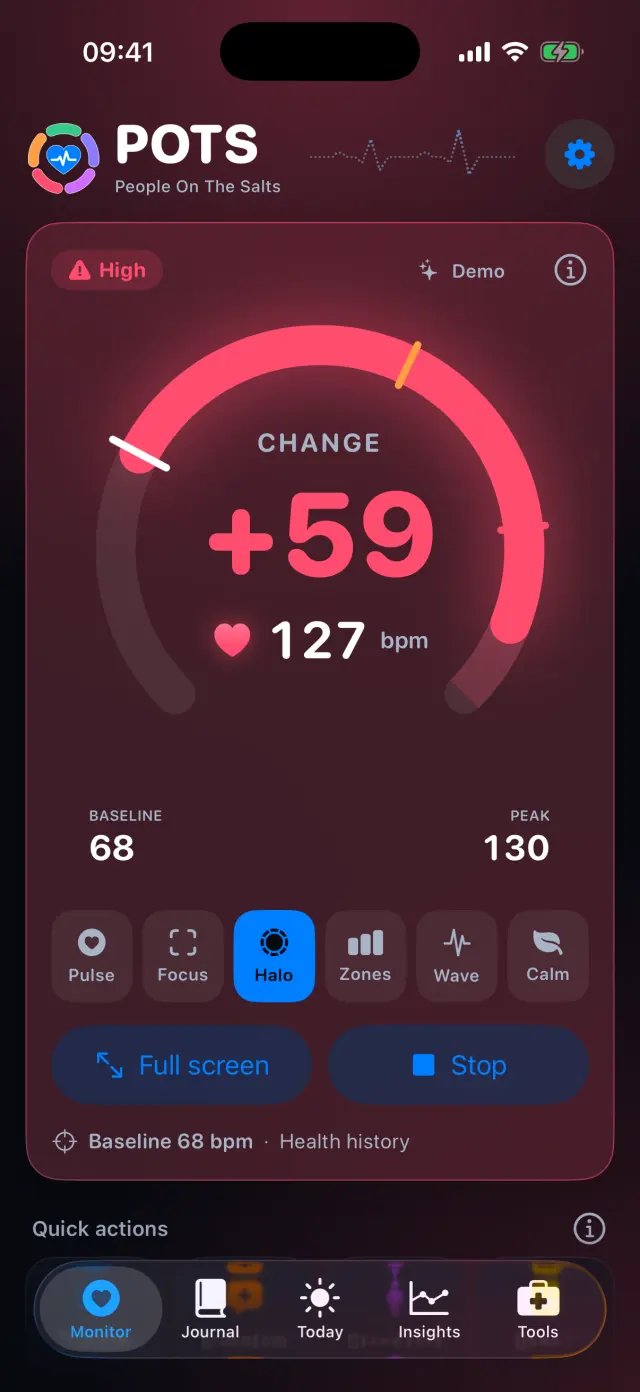
See how high it went
The screen turns red at High and the peak is kept, so you can check later what happened.
Swipe to see every step
Everything it can do
- Four kinds of limit: high heart rate, rise from baseline, low heart rate and drop from baseline.
- A heads-up level and an alert level for each one.
- Standard gives a heads-up at +30 above baseline or 120 bpm, and for low heart rate.
- A limit must be crossed for a few seconds, so moving your arm won't buzz you.
- A rapid-rise heads-up when your heart rate climbs quickly.
- Reset to the recommended limits at any time.

Try it on your iPhone.
POTS - People On The Salts for iPhone and Apple Watch. Free to download, with Premium when you want the full record.
Screens show fictional data. POTS shows measurements to discuss with your clinician. It does not diagnose or treat any condition.