
POTS - People On The Salts app icon

POTS - People On The Salts

Know your heart in real time.

POTS brings your heart rate, symptoms, stand tests and daily routines together on iPhone and Apple Watch, so you and your doctor can see the same picture.

Coming soonon the App Store See every feature See how it works
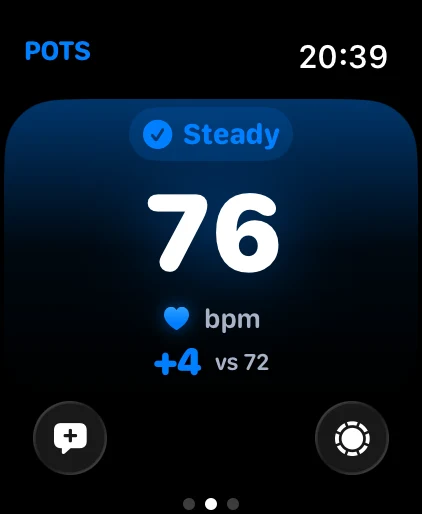
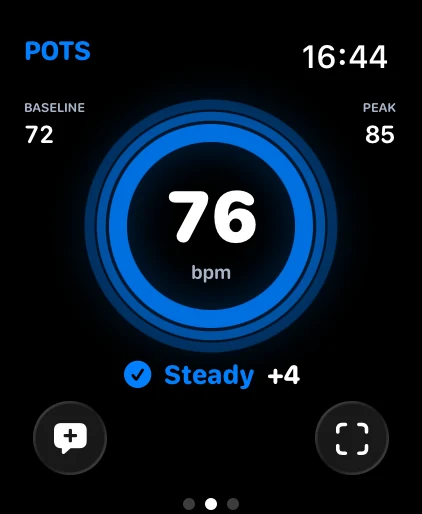
Apple Watch Focus view: 76 bpm, steady
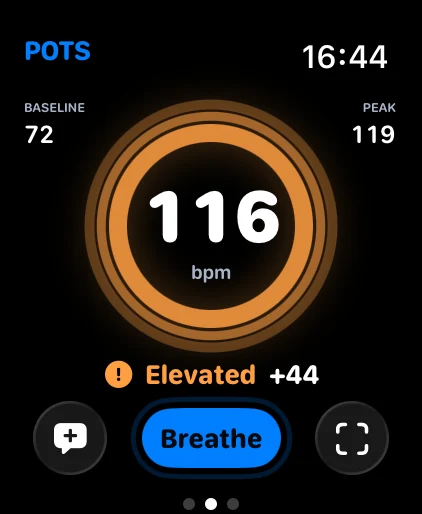
Apple Watch Pulse view: 116 bpm, elevated, 44 above baseline
  • No account needed
  • Apple Watch or Bluetooth heart-rate sensor
  • In 56 languages
  • Free to download

Made for the moments your body changes.

Six things POTS does every day, shown in recordings of the real app with fictional data.

Live heart rate

See your pulse against your own baseline.

POTS reads your heart rate from Apple Watch or a compatible Bluetooth sensor and shows how far it is from the baseline you set, in large, calm numbers.

  • Six Apple Watch views, from detailed to minimal
  • Sound and haptic alerts at limits you choose
Every rise

Catch a rise the moment it starts.

When your heart rate climbs away from your baseline, POTS shows the change, marks the episode and records how long recovery took, so you can look back at what happened and when.

Symptom log

Log how you feel in one tap.

Lightheaded, racing heart, brain fog, nausea and more. Choose mild, moderate or severe, tap the symptom, and POTS saves it with the time and your heart rate.

Stand test

Run a guided stand test at home.

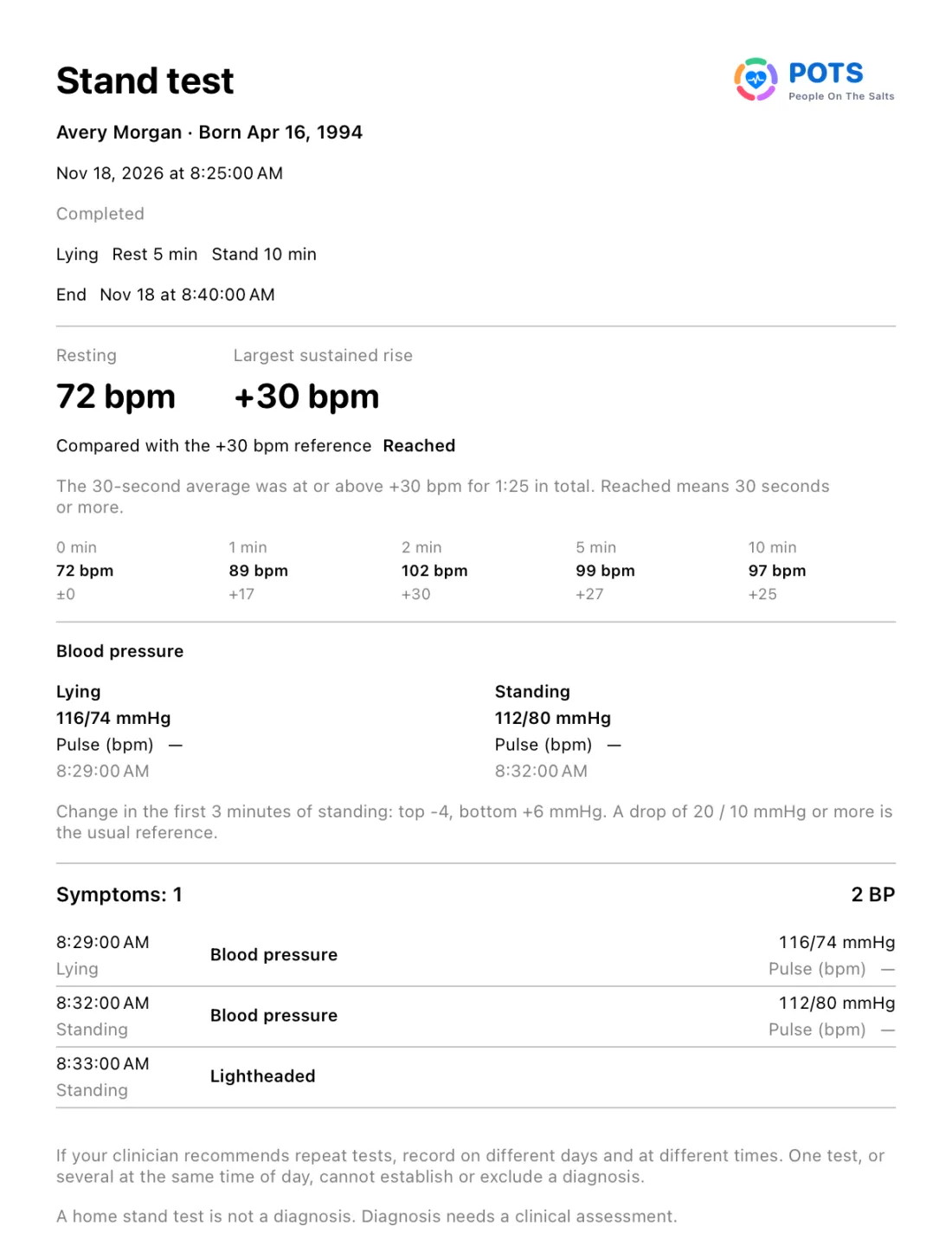
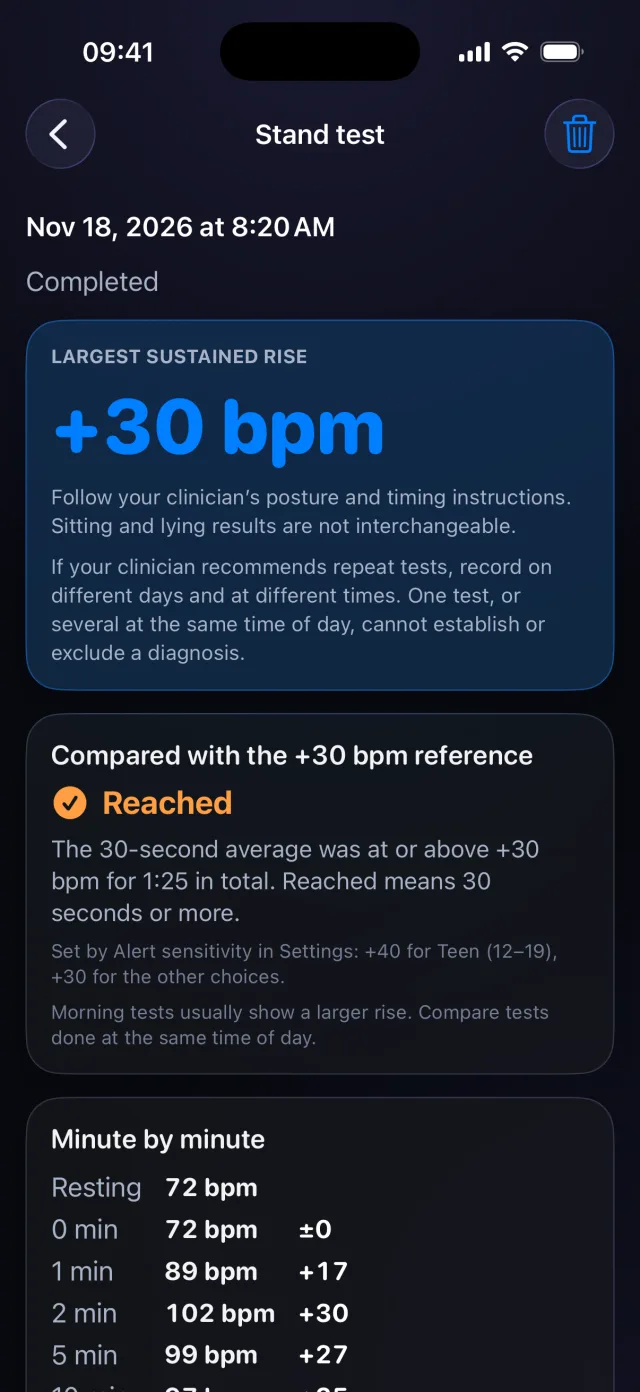
Rest, then stand while POTS records your heart rate minute by minute, with optional blood pressure and symptoms. Compare your tests over time.

A home stand test is not a diagnosis. Follow your clinician's instructions for posture and timing.

Guided breathing

Breathe with a guide when you need to settle.

Follow Wave Flow, Shape or Balloon through 4-7-8, box or gentle breathing, at your own pace, with your heart rate alongside.

Journal and insights

Look back on any day. Spot patterns across weeks.

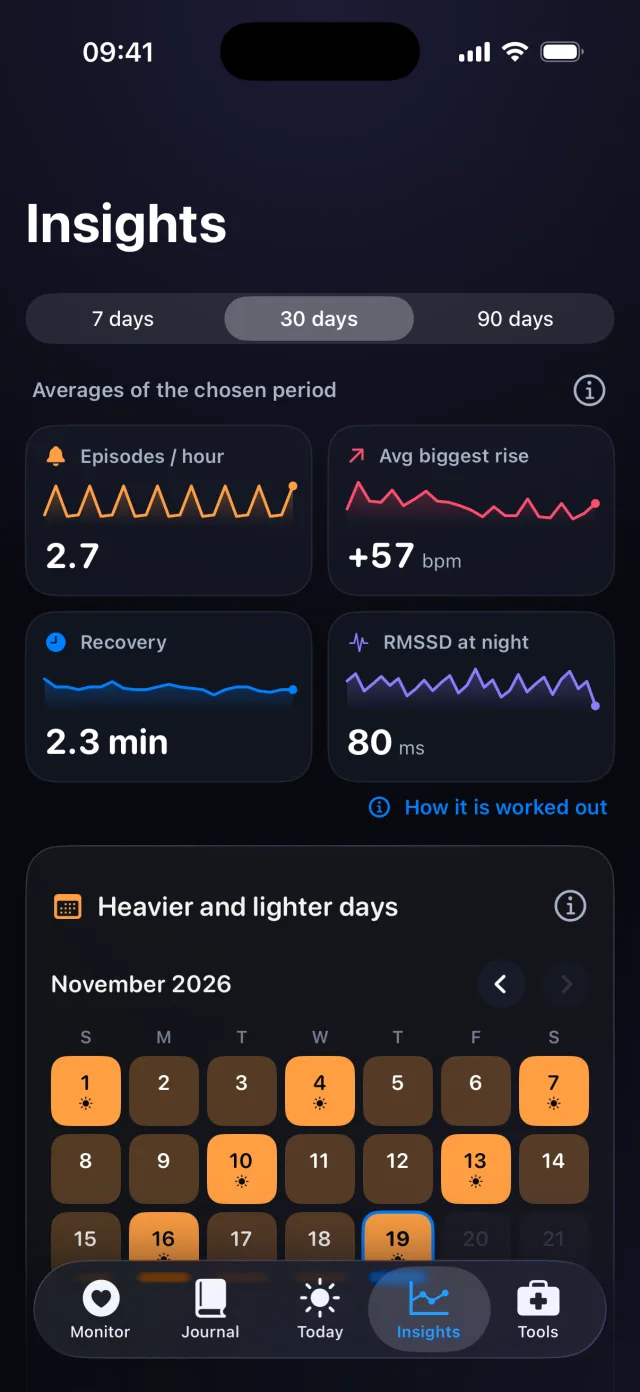
Sessions, daily logs, breathing and stand tests live in one journal. Premium insights compare heavier and lighter days, recovery and your stand-test trend.

See all 16 features, step by step

Medications and reminders, daily basics, blood pressure, caregivers, widgets and more, each with real iPhone screens.

Pulse view: a ring with each beat, 76 bpm

Your heart rate, six ways.

Pick the Apple Watch view that suits the moment: detailed during a stand test, quiet at your desk. The color always follows your baseline.

Apple Watch screens from the watchOS Simulator with fictional readings.

Look closer at a heart rate rise.

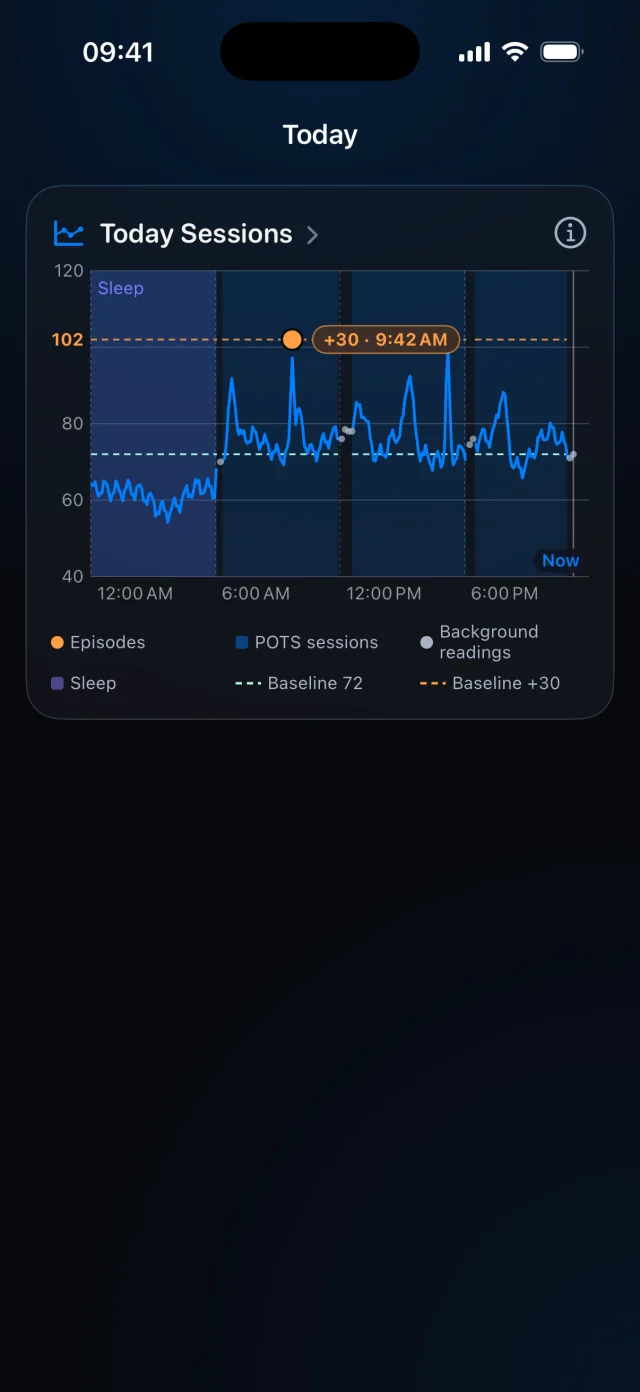
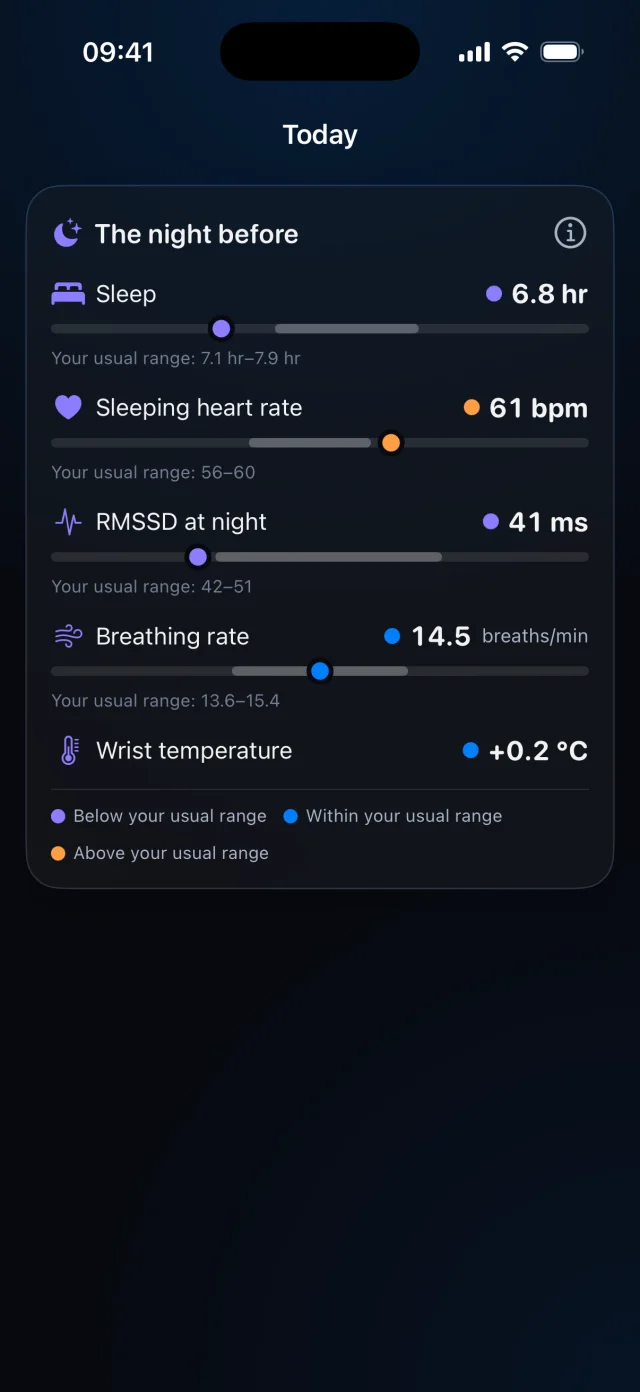
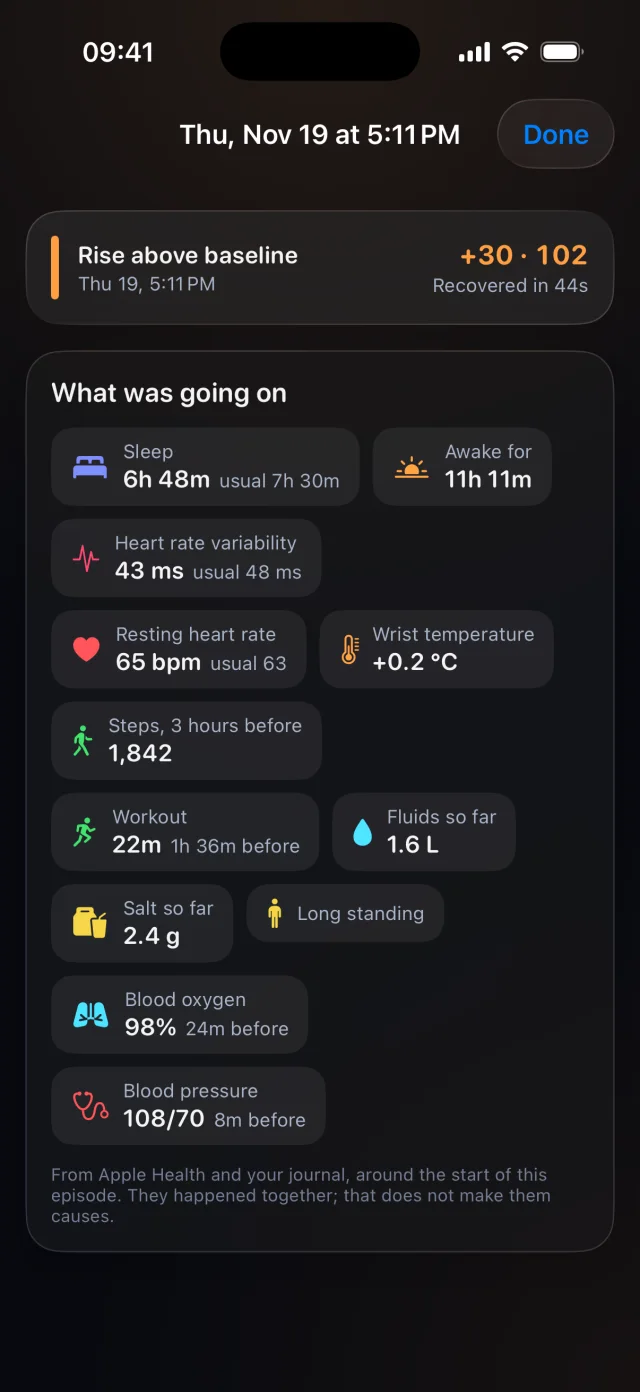
POTS puts each rise in context: your whole day, the night before and what was going on at the time.

Today Sessions: a 24-hour heart rate chart with a 72 bpm baseline and two rises
Your day in one chartSessions, sleep and background readings across 24 hours.
The night before: sleep, sleeping heart rate, overnight HRV, breathing rate and wrist temperature
The night before, in five numbersSleep, sleeping heart rate, overnight HRV, breathing rate and wrist temperature against your usual range.
Episode context for a 5:11 PM rise: sleep, steps, fluids, salt, workout and more
What was going onSleep, steps, fluids, salt, workouts and more around the moment a rise began.

Context comes from Apple Health and your journal when you allow it. Things that happen together do not necessarily cause each other.

Premium

Show your doctor what changed.

Bring your heart rate, symptoms and stand tests to your next appointment in one clear report, written for a clinician to read in minutes.

PDF
Doctor reports and stand tests
CSV
Session heart rates and stand tests
JSON
Session diagnostics
ZIP
Personal or research CSV tables, with a data dictionary
PNG
A shareable POTS symptoms card

Doctor report with your own data requires a paid Premium subscription. Free and trial users can view a sample report with fictional data.

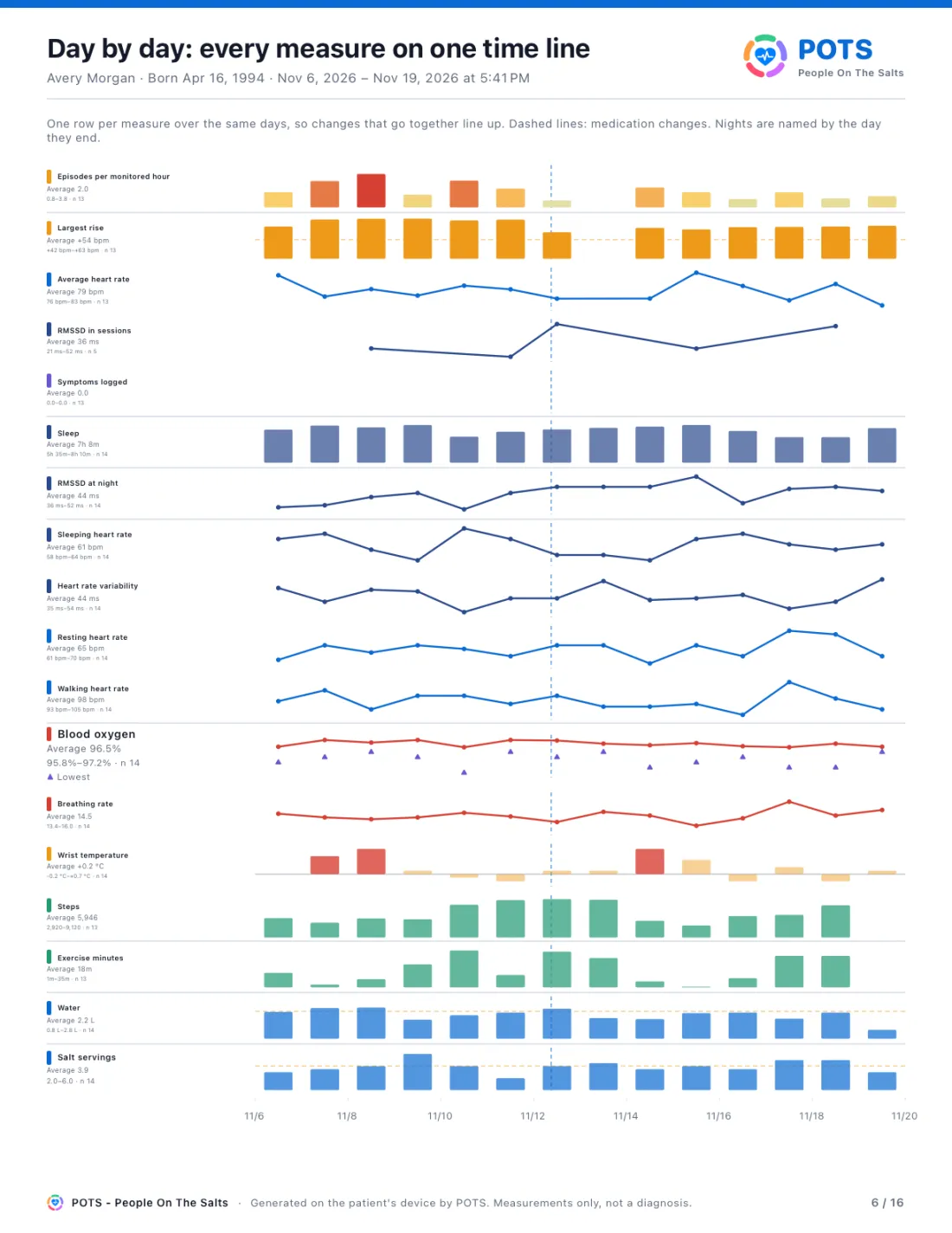
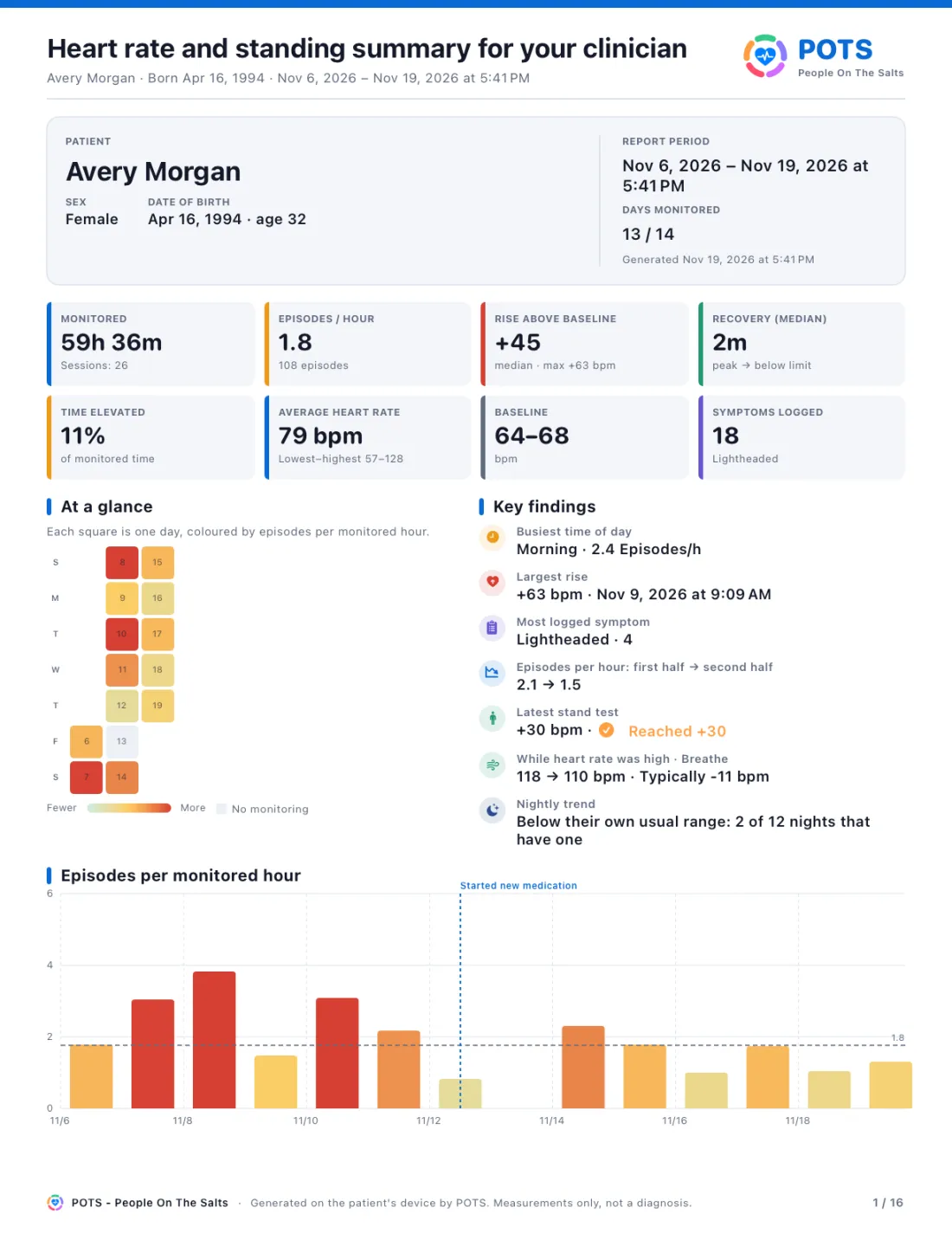
First page of a sample POTS doctor report: heart rate and standing summary for a fictional patient
17pages in every report

What's inside, page by page

  1. 1The visit summary for your clinician
  2. 3Heart-rate readings during sessions
  3. 5Episode details and recovery
  4. 7Comparing heavier and lighter days
  5. 9The daily log
  6. 11Nights, stand tests and recovery
  7. 13Symptoms and daily life
  8. 15Breathing sessions and heart rate
  9. 17The stand test appendix

Put words to your symptoms.

The POTS symptoms card helps explain how POTS can feel to the people around you, with illustrations you can share as an image.

  • Brain fog
  • Heart palpitations
  • Dizziness when standing up
  • Shortness of breath
  • Exhaustion and fatigue
  • Fainting or near fainting
  • Headaches
  • Racing heart rate
  • Nausea or bloating
  • Disrupted sleep
  • Cold hands and feet
  • Chest pain
  • Trouble focusing
  • Excessive sweating
  • Blood pooling
  • Light, sound and heat intolerance
  • Feeling nervous or anxious
  • Migraines
  • Problems with vision
  • Temperature regulation problems
  • Tremors
  • Digestive problems
  • Exercise intolerance
  • Feeling about to faint

Your health records stay with you.

POTS is designed so the most personal part of your day never needs an account.

POTS also measures general app usage, crashes and performance to stay reliable, without attaching your heart-rate readings or symptoms. The Privacy Policy explains every detail.

  • No account to create

    Open the app and start. There is no sign-up and no password to remember.

  • Kept on your iPhone and Apple Watch

    Core health records live on your devices, or in Apple Health when you allow it. They are not uploaded to a Wedeewa account.

  • Shared only when you choose

    Reports and exports leave your device only when you decide to send them.

Start free. Go Premium for the full record.

Download POTS for free. Premium removes the limits and unlocks a doctor report built from your own data.

Free

$0

Everything you need to get started.

  • Live heart rate15 minutes in every two-hour window
  • Stand testOne real test per day
  • Symptom log and guided breathing
  • Journal for today
  • Previews of insights and a sample doctor report

Premium

$3.99 / month

or $29.99 a year. Seven-day free trial for eligible new subscribers.

  • Unlimited heart-rate monitoring
  • Unlimited stand tests
  • Journal history for every day
  • Insights from your own dataAverages, heavier and lighter days, stand-test trend, before and after
  • Doctor report with your real dataPDF and CSV export during a paid subscription period

U.S. reference prices. The App Store shows the price and currency for your region before you buy. Subscriptions renew automatically until cancelled in your Apple Account settings. Apple decides trial eligibility, once per subscription group. See the Terms of Use.

Questions, answered.

Can't find what you need? Visit POTS Support.

Is POTS a medical device?

No. POTS is for personal tracking and general information. It does not diagnose, prevent or treat any condition and is not an emergency service. Talk to your clinician about your readings.

Do I need an Apple Watch?

Live heart rate needs Apple Watch or a compatible Bluetooth heart-rate sensor. Some features also need Apple Health permissions or enough recorded data.

Do I need an account?

No. There is no sign-up. Core health records are stored on your iPhone and paired Apple Watch.

What's included for free?

Live monitoring for 15 minutes in every two-hour window, one stand test a day, today's journal, the symptom log, guided breathing and previews of Premium features.

How does the free trial work?

Eligible new subscribers can try Premium free for seven days on either plan, once per subscription group. During the trial you see a sample doctor report; a report with your own data is available during a paid period.

Can I share my data with my doctor?

Yes. With Premium you can export a doctor report as a PDF, and your data as CSV, JSON or ZIP, then share it however you choose.

Which languages does POTS support?

The app is available in 56 languages, including English, Thai, Japanese, Korean, Chinese, Spanish, French, German and Arabic. Support and policy pages are published in 60 languages.

How do I cancel a subscription?

Manage or cancel it in your Apple Account subscription settings. Apple handles billing and refunds.

Every rise.
On the record.

POTS - People On The Salts for iPhone and Apple Watch. Free to download, with Premium when you want the full record.

Coming soonon the App Store POTS support

Screens show fictional data. POTS shows measurements to discuss with your clinician. It does not diagnose or treat any condition.